





Lo and behold, the interface has indeed changed this week. If you’re not one of the lucky owners of an upgraded and updated account yet, you soon will be.
Things look a lot cleaner and the navigation hasn’t changed beyond recognition but there are a few striking alterations, not least the ‘New Campaign’ drop-down menu with some interesting description tags:
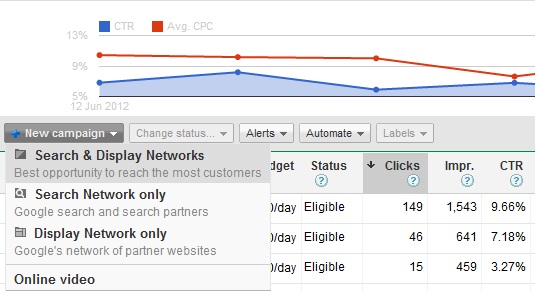
Let’s be a little more honest and add our own descriptions for the benefit of new or inexperienced Google advertisers:
Search & Display Networks
The quickest way to spend money hand over fist on AdWords without any real semblance of control. Recommended for a quick and painful destruction of your soul & advertising budget.
Search Network only
Google search (provided we haven’t shuffled the adverts to the bottom of the page as part of our ‘dynamic user optimisation’ program) and eBay & Amazon. Probably your only hope of gaining a return from AdWords.
Display Network only
Partner websites that are actually anyone who is willing to show adverts on their sites for a small kickback. Generally a hellish experience for most AdWords users. Recommended for experienced advertisers only with a comprehensive strategy.
But Wait…There’s More!
Ah, so you’d like to start a new campaign? Excellent, let’s go!
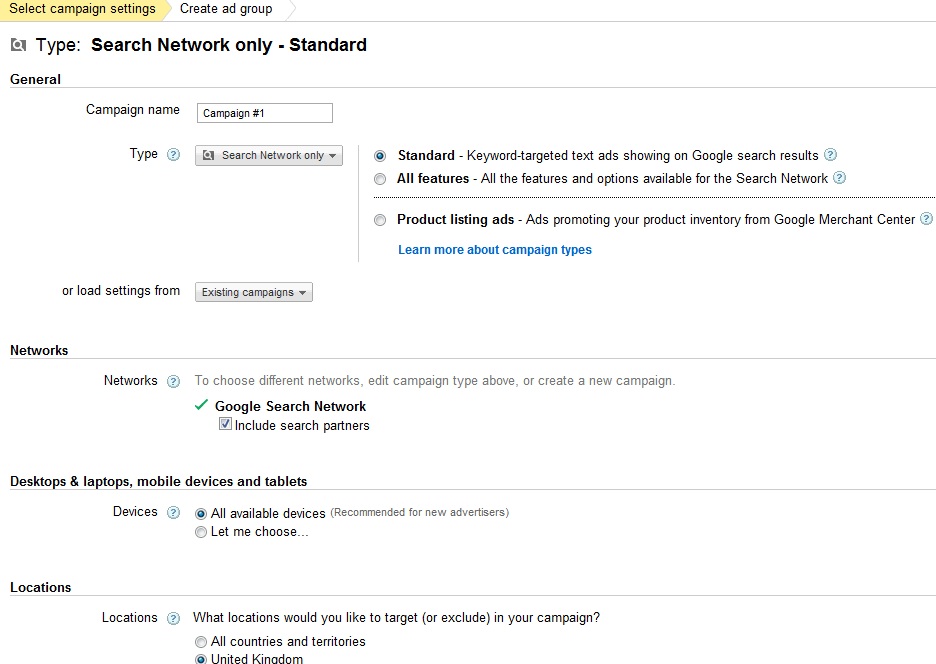
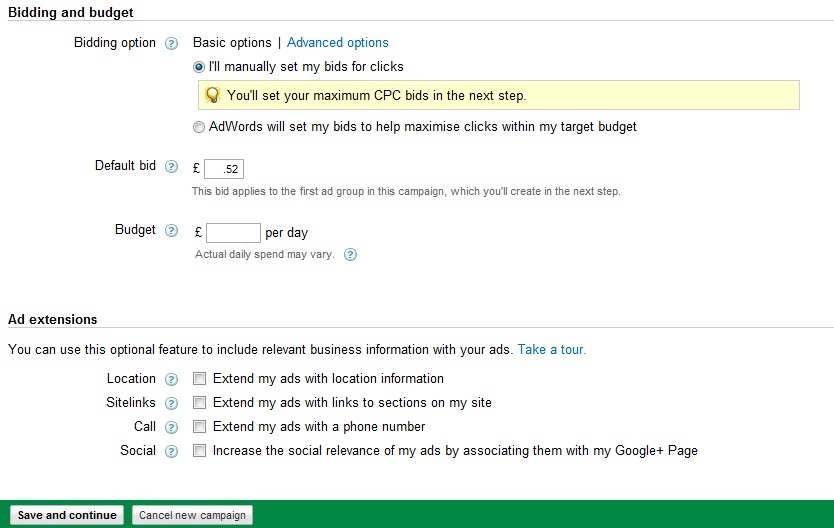
Fantastic! So…ah, I see there are some things missing here:
- Where is my ability to schedule my adverts?
- Where are the keyword matching options?
These are just drops in the ocean in terms of how the new interface operates, so stay tuned to our blog for more updates on the interface – believe us, there will be a few!
Alex Guest writes for PPC Rescue, Chester SEO and AdWords experts.


